I have received quite a few request about post I have two days ago SQL SERVER – 2005 Change Database Compatible Level – Backward Compatibility, if this can be done using SQL Server Management Studio. It is very simple to do this using Management Studio as well but I still prefer T-SQL way.
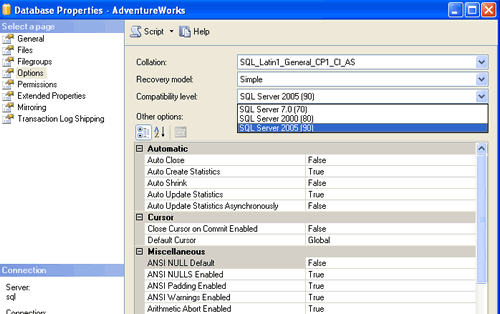
Following steps will display the method to change the compatible levels.
Write click on database.
Click on Properties.
Click on Options.
Change the Compatibility level to desired compatibility. (See Attached image below)
Click OK.
Reference : Pinal Dave (https://darkslategrey-bat-805937.hostingersite.com)